Proving
This section covers how to generate zero-knowledge proofs from ZKPDF circuits using different approaches.
Using the Succinct Prover Network
While local proof generation works well for development and testing, we've partnered with Succinct Labs to provide access to their powerful Prover Network for hackathons and production applications.
Why Use the Prover Network?
- Eliminates Server Limitations: No need to run heavy proving computations locally
- Faster Proof Generation: Distributed proving infrastructure for better performance
- Cost Effective: Pay-per-use model for proof generation
- Scalable: Handle multiple proofs simultaneously
- Production Ready: Enterprise-grade proving infrastructure
Getting Access
- Generate a Public Key: Create a new public key for prover network access
- Fill the Access Form: Submit your details at https://forms.gle/aqVoYupq3cjNYtCf8
- Get Added to Delegation: We'll add your public key to the delegation list
- Access the Explorer: Login to https://explorer.reserved.succinct.xyz/
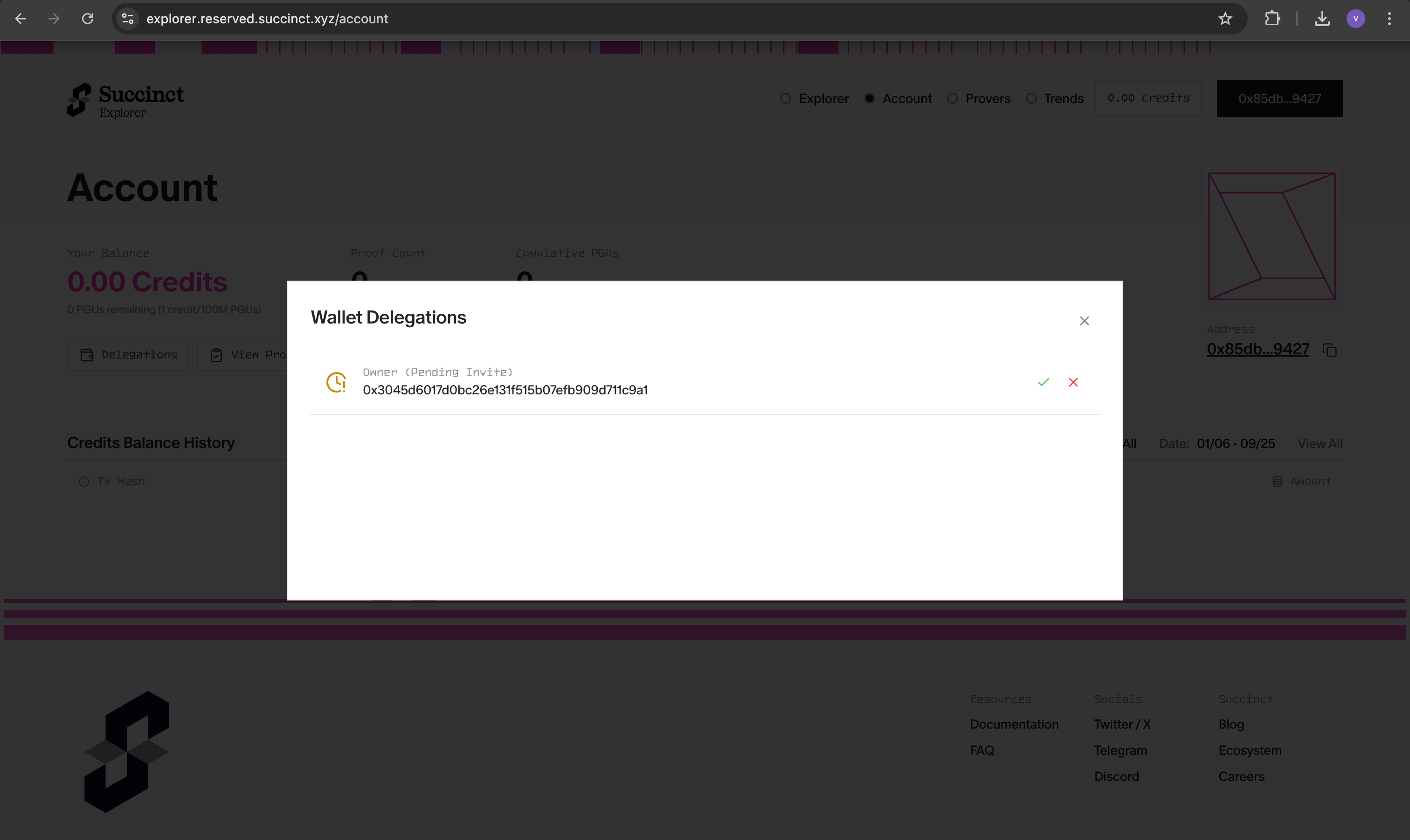
- Approve Access: Click the approve button to activate your prover network access
Configuration
Option 1: Environment Variables
# Set prover network environment
export SP1_PROVER=network
export NETWORK_PRIVATE_KEY=your_private_key_here

# Generate proofs using the network
cargo run --release --bin evm -- --system groth16
Option 2: .env File (Recommended)
Create a .env file in your project root:
# Copy the example environment file
cp .env.example .env
Then edit .env with your credentials:
SP1_PROVER=network
NETWORK_PRIVATE_KEY=your_private_key_here
The .env file will be automatically loaded when you run the scripts.
Using the Prover Network
Once configured, you can generate proofs using the distributed network:
# Generate Groth16 proof using the network
cargo run --release --bin evm -- --system groth16

# Generate PLONK proof using the network
cargo run --release --bin evm -- --system plonk

# Use custom PDF with the network
cargo run --release --bin evm -- --system groth16 --pdf-path /path/to/your/certificate.pdf
Benefits for Hackathons
The Succinct Prover Network is particularly valuable for hackathons because:
- No Setup Required: Skip complex proving infrastructure setup
- Fast Iteration: Quick proof generation for rapid prototyping
- Cost Effective: Pay only for what you use
- Reliable: Enterprise-grade uptime and performance
- Scalable: Handle multiple team members simultaneously
Benchmarks
Performance metrics for zkPDF proof generation using the Succinct Prover Network:
| Metric | PDF #1 | PDF #2 (PAN Card from DigiLocker) |
|---|---|---|
| PDF Size | 268.0 KiB | 104.0 KiB |
| SP1 Network Link | View Proof | View Proof |
| Document Type | Signed PDF | PAN Card from DigiLocker |
| Signature Algorithm | RSA with SHA1 | RSA with SHA256 |
| SP1 Version | sp1-v5.0.0 | sp1-v5.0.0 |
| Proof Time (Groth16) | 52 seconds | 31 seconds |
| Cycle Count | 44,052,327 cycles | 29,940,291 cycles |
| Gas Used | 50,575,525 | 35,255,053 |
Performance Notes
- Proof Time: Groth16 proofs typically take 30-60 seconds depending on document complexity
- Cycle Count: Higher cycle counts indicate more complex PDF processing
- Gas Usage: On-chain verification costs scale with proof complexity
- Document Size: Larger PDFs generally require more processing time
Troubleshooting
Access Issues
If you're having trouble accessing the prover network:
- Verify Form Submission: Ensure you've submitted the access form
- Check Delegation: Confirm your public key has been added to the delegation list
- Explorer Access: Make sure you can login to the explorer and see your delegation
- Contact Support: Ping @vikasrushi on Telegram for immediate assistance
Configuration Issues
# Verify your environment variables
echo $SP1_PROVER
echo $NETWORK_PRIVATE_KEY

# Check .env file exists and has correct format
cat .env
Note: For immediate access to the Prover Network, please ping @vikasrushi on Telegram after submitting the form.